Student-1st
A classroom support app built for real teaching conditions: faster setup, safer visuals, and fairness safeguards that consider outcomes over time — not isolated moments.
Why Student-1st exists
Education increasingly relies on technology to support fairness, efficiency, and engagement. However, a process is not the same as a safeguard — and dependence on tools can create false assurance if underlying logic does not actively support balanced opportunity and consistent outcomes.
Student-1st is built on a simple premise: fairness must be supported deliberately, not left to memory, mood, or chance.
Core wins (practical classroom value)
Student-1st is designed around time, flow, and fairness. A typical time sink in classrooms is forming teams and managing participation while keeping the lesson moving. Student-1st streamlines those moments.
Less setup, more teaching
Team formation, absences, and quick-selection workflows are designed to reduce overhead and keep pacing intact.
In team-based activities, this can often save several minutes per class by removing manual sorting and rework.
Balanced groups without the headache
Select a team size and Student-1st builds teams using structured distribution logic designed to avoid “all strong / all weak” clustering and reduce “leftover” students.
Conflict Manager
Where student pairing constraints are defined, Student-1st is designed to avoid placing incompatible students together.
Constraint logic is handled internally; configuration is school/teacher context dependent.
Start on time model
Student-1st is designed around the first minutes of class — the moment where delays compound. The workflow is structured to move from attendance to engagement fast.
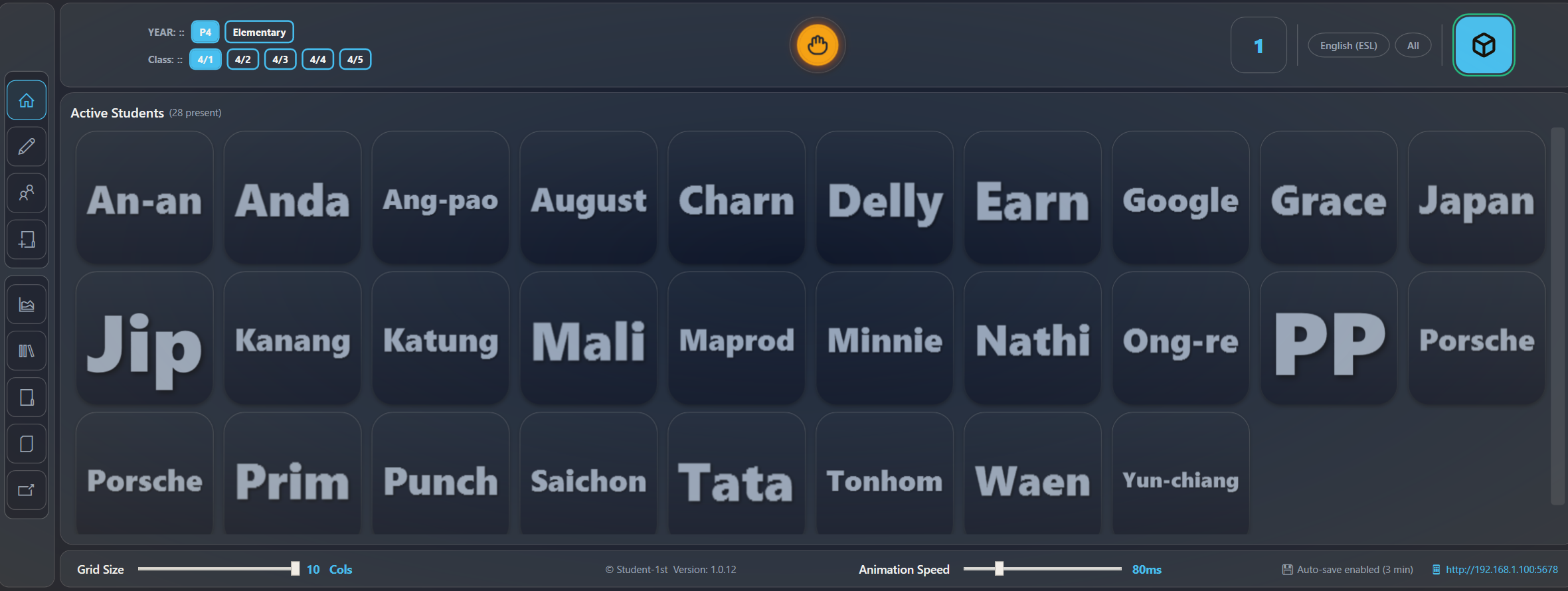
- Open Student-1st → roster loads immediately
- Tap pills to mark absent (absent students are visually de-emphasised)
- Run a quick roll/warm-up selection (optional)
- Open the whiteboard and display the current task (e.g., “Workbook page 42 — Phonics”)
- Select team size → teams generated for the activity
Exact screens and modules vary by build stage; the design intent is consistent: reduce friction in the first five minutes.
What this achieves
- Less “dead time” while teams are formed
- Lower reliance on teacher memory for fairness and pacing
- More consistent opportunities for quieter or less confident students over time
- Reduced disruption by avoiding known conflict pairings where configured
Team generation (fair, fast, constraint-aware)
Team formation is one of the highest-friction classroom tasks. Student-1st is designed to make it a single decision: choose a team size, then generate.
Click team size → teams formed
Generate teams of 2, 3, 4, etc. with an internal “no orphans” rule where possible.
Snake distribution logic
Teams are formed using structured distribution (often described as “snake” style) to reduce extreme clustering and support more even team strength.
Implementation details are proprietary and not disclosed.
Strong teams and weaker teams are mitigated
Student-1st is designed to reduce the probability of “hero teams” dominating and “weaker teams” disengaging by distributing capability more evenly.
MRE — Maximum Reach & Engagement
MRE is a system-level safety and accessibility framework built into Student-1st. It constrains animation, colour, and visual intensity to support safer classroom use and reduce sensory strain.
Risk mitigation (visual & accessibility)
MRE is designed to reduce risk and fatigue through controlled visual behaviour:
- Prevents flashing/strobing or rapid visual patterns
- Constrains motion to predictable, low-intensity transitions
- Enforces theme boundaries intended to support common colour-vision differences and reduced eye strain
This supports safeguarding and helps reduce institutional blind spots created by inconsistent visual design decisions.
Fairness safeguards & data-level bias determination
Student-1st includes an optimised data logic model designed to evaluate input data and resulting output patterns for bias-related characteristics. Determinations apply to data conditions and outcomes over time.
Balanced opportunity over time
Helps reduce participation drift by considering cumulative outcomes rather than isolated events.
Outcome patterns
Surfaces indicators when outcome behaviour suggests biased conditions arising from data inputs or usage patterns.
No personal judgements
It does not assess intent or make determinations about individuals. Methods and thresholds are proprietary.
Student-1st is a classroom support tool and does not replace professional judgement, institutional policy, or statutory obligations.
What this means in practice
Support under pressure
Helps you do what you already want to do — maintain flow, keep lessons moving, and create more balanced opportunity — without relying on memory or manual tracking.
Reduced risk & blind spots
Enforced visual safety boundaries and fairness safeguards reduce reliance on optional settings and informal practice, supporting more defensible classroom processes.
Protection for students who need support
Designed to reduce the chance that quieter or less confident students become invisible in day-to-day classroom routines, supporting more consistent opportunities over time.
Contact / early access
Questions, school interest, or early access requests:
Optional next step: add a hosted form (Tally / Google Forms) to capture questions and update requests without running a backend.